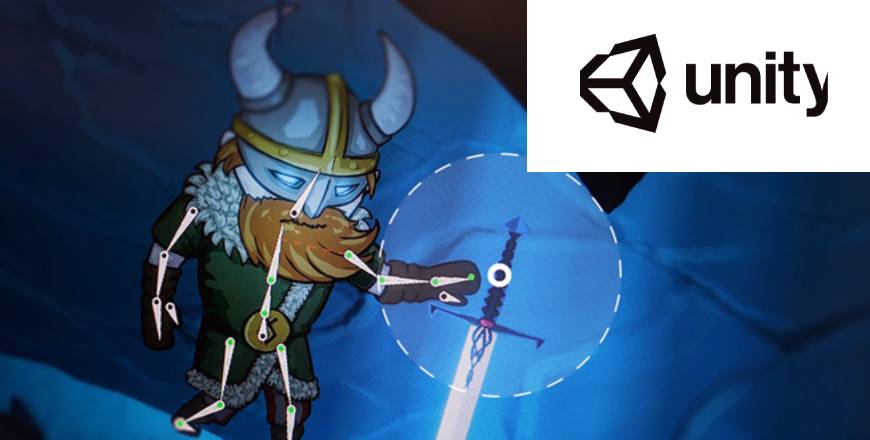
Unity Video Game Development

- Description
- Curriculum
- Reviews
- Grade
This course provides a comprehensive introduction to video game development using the Unity engine. Students will learn how to design, build, and deploy interactive 2D and 3D games while gaining practical experience with game mechanics, physics systems, animation, user input, and user interface design.
Participants will develop scripting skills in C# to control gameplay behavior, implement player interactions, and manage game states. The course also explores core development concepts such as scene management, asset integration, lighting, sound design, and performance optimization.
By the end of the course, students will have created a fully functional game prototype and will understand the complete development pipeline—from concept and level design to testing and publishing. This program is ideal for beginners, aspiring indie developers, and technology enthusiasts seeking hands-on experience in interactive media production.
-
1
 Game development pipeline overview
 -
2
Installing Unity Hub and editor setup
-
3
Unity interface and workspace navigation
-
4
Understanding scenes, game objects, and components
-
5
Project structure and asset management
-
6
 Project Setup RepositoryThe questions align directly with these required competencies: Create a Unity project Create a sample scene with 3 objects + lighting Understand scene hierarchy structure Write a README explaining project structure Initialize Git repository Push project to GitHub




We highly recommend to have solid basis about git and specifically github. When it's time to submit assignments it will by pushing code about each assignment.
Also understanding of branching strategy is mandatory.
Students must follow this Git workflow:
Main Branches
-
main→ Stable production-ready builds -
develop→ Integration branch
Feature Branches
Naming convention:
feature/player-movement
feature/score-system
feature/ui-hud
bugfix/collision-error
Evaluation Rubric (Git-Based)
| Criteria | Weight |
|---|---|
| Commit Quality | 20% |
| Branch Usage | 15% |
| Pull Request Documentation | 15% |
| Code Organization | 20% |
| Functionality | 30% |
Aspiring Game Developers (Beginner to Intermediate)
Individuals who:
-
Have little or no prior game development experience
-
Want to build complete 2D/3D games from scratch
-
Seek to understand core programming concepts using C#
-
Want a structured path from fundamentals to deployment
Ideal for:
-
High school seniors
-
College freshmen/sophomores
-
Self-taught learners transitioning into tech
Front-End or Software Developers Expanding into Interactive Media
Developers who:
-
Understand basic programming concepts
-
Want to transition into game development
-
Want hands-on experience with real-time engines
-
Aim to diversify into XR, simulation, or interactive applications
The Git workflow and project-based assessments make it especially suitable for professionals seeking portfolio differentiation.
Computer Science & IT Students
Students pursuing:
-
Software engineering
-
Computer science
-
Interactive media
-
Digital design
This course reinforces:
-
Object-oriented programming
-
Event-driven architecture
-
Physics simulation principles
-
Version control workflows
-
Agile-style development practices
Given your background in technical education, this structure aligns well with academic programs that require measurable Git-based deliverables and applied coding competency.